
When "New" Isn't Better: Evaluating Product Generations and Upgrades
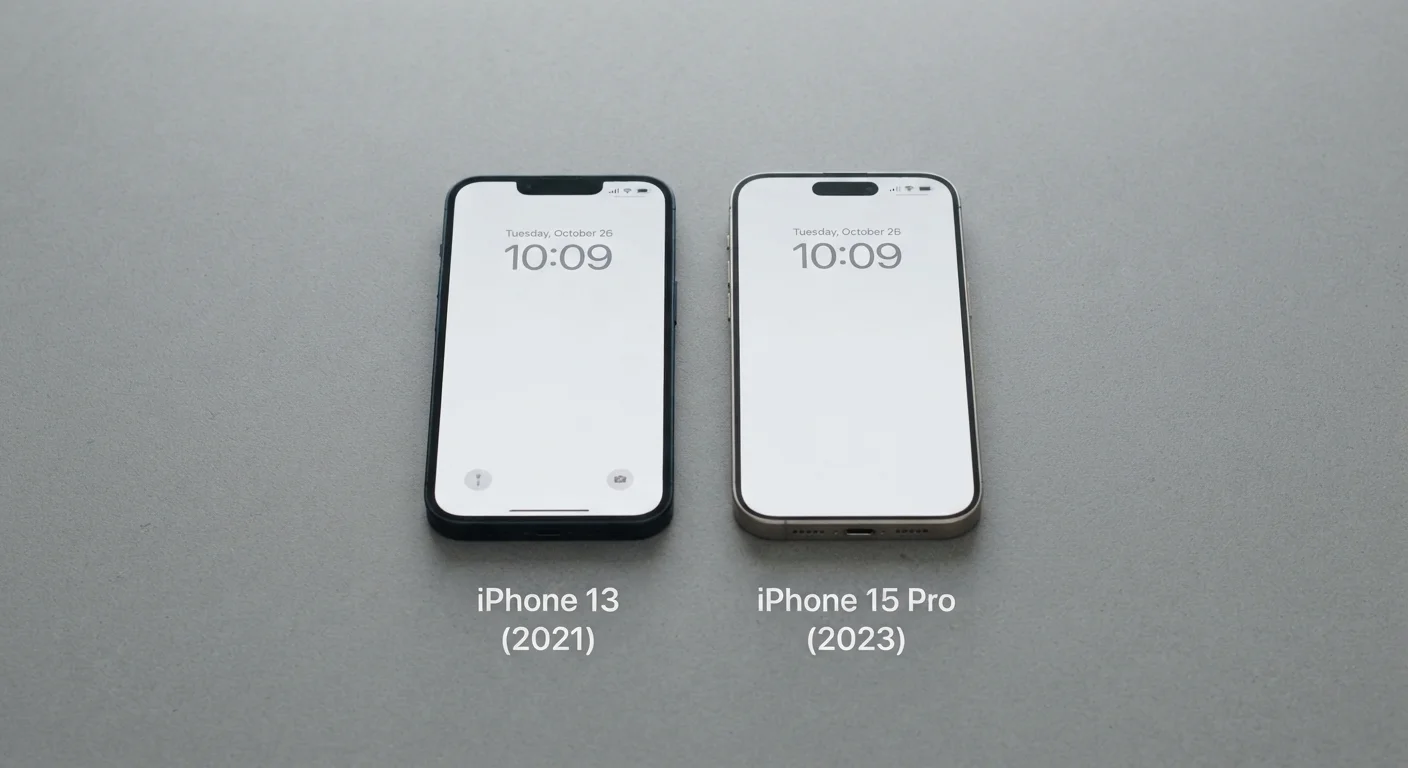
Photo credit: readerspanel.com
In this article
Manufacturers release new versions constantly. Learn how to assess whether an upgrade genuinely improves on the previous generation or just refreshes the box.
Key Takeaways
- Manufacturers routinely release 'new' versions that change packaging or cosmetics without improving core function.
- Comparing spec sheets between generations reveals whether changes are meaningful or superficial.
- User reviews from verified purchasers of both generations are more reliable than marketing copy.
- Previous-generation products often perform identically to successors for most everyday tasks.
- Understanding your actual use case helps you decide whether any given upgrade is worth the cost.
Why 'new' is a marketing word, not a quality signal
A product labeled as a new generation can mean anything from a complete internal redesign to a color change and a higher SKU number. Manufacturers have financial incentive to release updates frequently, and the word 'new' on packaging costs nothing. The consumer research challenge is separating genuine functional improvement from a refresh that serves the manufacturer's release calendar more than your needs.
This is worth taking seriously because the price gap between a current-generation product and its immediate predecessor can be substantial, while the performance gap is sometimes zero. Cognitive shortcuts about quality make this harder: a higher version number and updated industrial design can feel like proof of improvement even when the internals are unchanged.
How to compare generations without relying on the manufacturer
Start with the spec sheet for both generations, pulled from the manufacturer's own product pages rather than retailer listings (which may be outdated or incomplete). Look for changes in the components that directly affect the task you need the product to do. A blender with a higher wattage motor matters if you process dense ingredients; a new housing color does not.
Independent testing publications and engineering teardown channels often disassemble both generations and publish direct comparisons. These are more reliable than press-release-based reviews written before the product ships. User forums and verified purchaser reviews from people who owned the previous version provide a further check: they describe real-world use, not benchmarks.
Distinguishing real differences from perceived ones applies here too. Just as some store-brand and name-brand products share a production line, some product generations share identical core components under a restyled exterior.
Compare official spec sheets for both generations before reading any reviews
Marketing copy describes benefits, not specifications. Side-by-side specs reveal whether the underlying components changed at all. This step takes minutes and immediately filters out cosmetic-only updates.
Search for the prior generation's documented failure points before evaluating the successor
If a known weakness in the previous version is not mentioned in the new one's changelog or independent reviews, it likely was not fixed. This cross-check surfaces whether an upgrade has a real corrective purpose.
Prioritize reviews written by people who owned the previous generation
First-time buyers of a product have no reference point for comparison. Owners who upgraded can directly describe what changed in practice, which is more useful than isolated assessments of the new version alone.
Define your use case in writing before researching any specific generation
Without a concrete use case, it is easy to be swayed by improvements that are technically real but irrelevant to how you will actually use the product. A written use case anchors the evaluation.
Check the release date gap between generations
A new version released less than six months after the previous one is more likely to be a cosmetic or minor refresh than a substantive redesign. Shorter cycles often indicate the manufacturer is responding to competitive pressure rather than completing genuine development work.
Patterns that signal a meaningful upgrade vs. a cosmetic refresh
Certain changes tend to indicate genuine improvement. A new processor architecture, a revised sensor, a reformulated material, or a redesigned mechanism that addresses a documented failure mode in the prior version are all substantive. So is a change that solves a widely reported user complaint.
Cosmetic refresh patterns include: a new color palette, minor dimensional changes with identical internal specs, a repackaged bundle with accessories that were previously sold separately, and a version number increment without any listed spec changes in the product documentation.
One useful tactic is to search for the previous generation's known problems before looking at the new one. If the successor's changelog or independent reviews confirm those problems were addressed, the upgrade has a concrete rationale. If neither the manufacturer nor reviewers mention the prior issues at all, the new version likely did not fix them.
Matching the upgrade decision to your actual use
An upgrade that matters to a professional user may be irrelevant at a consumer level. A camera sensor improvement that becomes visible only in very low light conditions is genuinely useful to someone who shoots in dim environments regularly. For a user who takes photos outdoors in daylight, that specific upgrade has no practical effect.
Write down the two or three tasks you use the product for most often, then check whether the new generation made any changes that affect those specific tasks. If the changes are in areas outside your use case, the previous generation is functionally equivalent for your purposes. That is a straightforward, defensible reason to pass on the upgrade, regardless of what the current-generation marketing says.
Evaluating upgrades this way also builds a more accurate mental model of how product development works, which makes future purchasing decisions faster and less susceptible to marketing pressure.

Author
Smart Shopping Editorial Team
Smart Shopping Editorial Team is the collective byline for our editorial team and contributor network. Articles published under this byline or an editorial pen name are researched, written, and reviewed according to our editorial standards for clarity, consistency, and independence before publication.
View all articles →