
Subscriptions and Recurring Charges: The Budget Category Most People Undercount
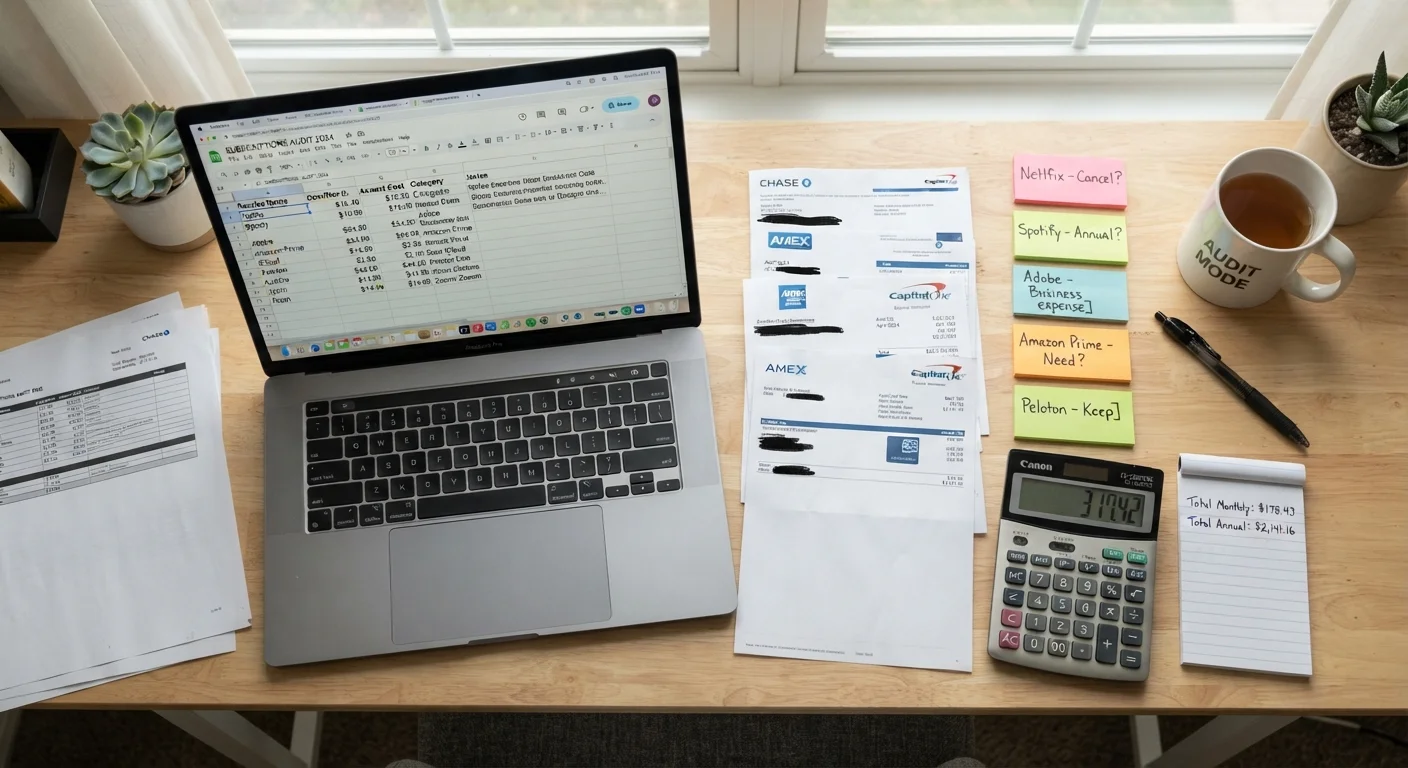
Photo credit: readerspanel.com
In this article
Small recurring charges add up fast and often escape notice. Here's how to identify every subscription in your budget and decide which ones truly earn their keep.
Key Takeaways
- Most households undercount recurring charges because they appear across multiple payment methods.
- Annualizing each subscription cost shows the true budget impact more clearly than the monthly figure.
- Pausing a subscription before canceling helps you test whether you miss it before committing.
- Free trials that auto-convert to paid plans are a common source of forgotten charges.
- A quarterly review prevents subscription lists from growing back after an initial audit.
Why subscriptions are the hardest budget category to track
Most spending is visible: a grocery run, a gas fill-up, a restaurant charge. Subscriptions work differently. They pull automatically, often for small amounts, and they scatter across every payment method a household uses. Because no individual charge feels large, the category tends to escape the notice that larger purchases attract.
The math compounds quietly. A household with six streaming services, two cloud storage plans, a fitness app, a news subscription, a software license, and an annual retail membership can easily spend $150 to $250 per month on recurring charges, most of it authorized at sign-up and never reviewed again. That range is illustrative, not a guaranteed figure for any individual household, since plans and pricing vary widely.
Subscription creep describes how this accumulation happens gradually. Each individual decision to subscribe is reasonable. The problem is that cancellations rarely keep pace with sign-ups, so the list grows over time. Understanding that pattern is the first step toward reversing it.
What you will need
How to audit and right-size your subscriptions
Bank and credit card statements (PDF or online)
The primary source for identifying recurring charges billed to your accounts.
Spreadsheet or notes app
Records each subscription name, monthly cost, annual cost, and renewal date in one place.
Email inbox search
Locates confirmation and billing emails from services you may have forgotten you joined.
App store subscription management (Apple or Google)
Reveals active in-app subscriptions billed through your mobile device.
PayPal or digital wallet billing history
Catches recurring charges authorized through third-party payment accounts rather than cards.
Pull every payment source into one place
Subscriptions scatter across checking accounts, multiple credit cards, PayPal, Apple Pay, and Google Pay. Gather statements or transaction screens for all of them covering at least the past three months. Three months matters because some services bill quarterly, so a single month of statements will miss them.
Search for recurring transaction patterns
Scan each statement for charges that repeat at the same interval, typically monthly or annually. Look for small amounts (under $20) that blend into routine spending. Common patterns include charges from streaming platforms, cloud storage providers, news outlets, fitness apps, software licenses, and delivery club memberships. Flag every charge you cannot immediately explain.
Check your app store subscriptions separately
In-app subscriptions billed through Apple or Google appear as a single line item from the platform, not the app name. On an iPhone, go to Settings, tap your name, then Subscriptions. On Android, open the Google Play app, tap your profile icon, then Payments and subscriptions. Both screens list active and recently expired subscriptions with their renewal dates and costs.
Build a complete subscription inventory
For every recurring charge you find, record four things: the service name, the billing frequency, the per-period cost, and the annual total. Calculate the annual total by multiplying monthly charges by 12. A $9.99 streaming service costs roughly $120 per year. When you see your entire list in annual figures rather than monthly ones, the aggregate is usually much larger than expected.
Add a fifth column for last use. Estimate when you last actively used or got value from the service. This column does most of the work in the next step.
Evaluate each subscription against actual use
Go line by line and ask one question: does the value you get from this service exceed what you pay annually? A subscription you use weekly is easy to keep. One you have not opened in three months deserves a harder look. Watch for duplicated services, two music streaming platforms, two cloud storage plans, a gym membership alongside a fitness app. Duplication is where most households find the clearest savings.
See how recurring charges combine with other overlooked costs to understand the full scope of spending that escapes routine budget reviews.
Cancel, pause, or downgrade
For services you decide to cut, cancel promptly rather than adding them to a mental to-do list. Many platforms make cancellation several clicks deep by design. If you are unsure, check whether the service offers a pause option, typically one to three months, before you cancel outright. Pausing lets you confirm you do not miss it before permanently ending the subscription and potentially losing any accumulated data or settings.
For services you want to keep, check whether a lower tier meets your needs. Many platforms offer a reduced plan at a meaningfully lower price. Annual billing, where available, typically costs less than month-to-month, though it does require paying the full year upfront.
Schedule a quarterly review
Subscription lists grow back. Free trials, app purchases, and annual renewals add new charges between reviews. Set a recurring calendar reminder every three months to repeat steps 1 through 4 and check for anything new. A quarterly cadence catches most additions before they run for a full year unnoticed.
Once you complete the audit, treat the revised annual total as a real budget line. Reading your budget categories carefully often reveals that subscriptions have been lumped into miscellaneous spending, which is why the total surprises most people when they finally add it up.
Annual charges warrant particular attention. Services that bill once a year, such as software suites, premium memberships, and cloud storage upgrades, rarely trigger the same scrutiny as monthly charges because they appear only once in any given month's statement. Planning for irregular and annual expenses is a separate habit worth building alongside subscription tracking.
Free trials are a known source of surprise charges
When you start a free trial, the service typically requires a payment method upfront and charges automatically when the trial ends. If you have signed up for multiple trials and not tracked end dates, charges may already be appearing on your statements. Review trial confirmation emails and set calendar reminders for expiration dates before they convert to paid plans.
This article is for general informational purposes only and does not constitute personalized financial advice. Consult a qualified financial professional for guidance specific to your situation.

Author
Personal Finance Editorial Team
Personal Finance Editorial Team is the collective byline for our editorial team and contributor network. Articles published under this byline or an editorial pen name are researched, written, and reviewed according to our editorial standards for clarity, consistency, and independence before publication.
View all articles →